Use cases
Why teams choose Yres
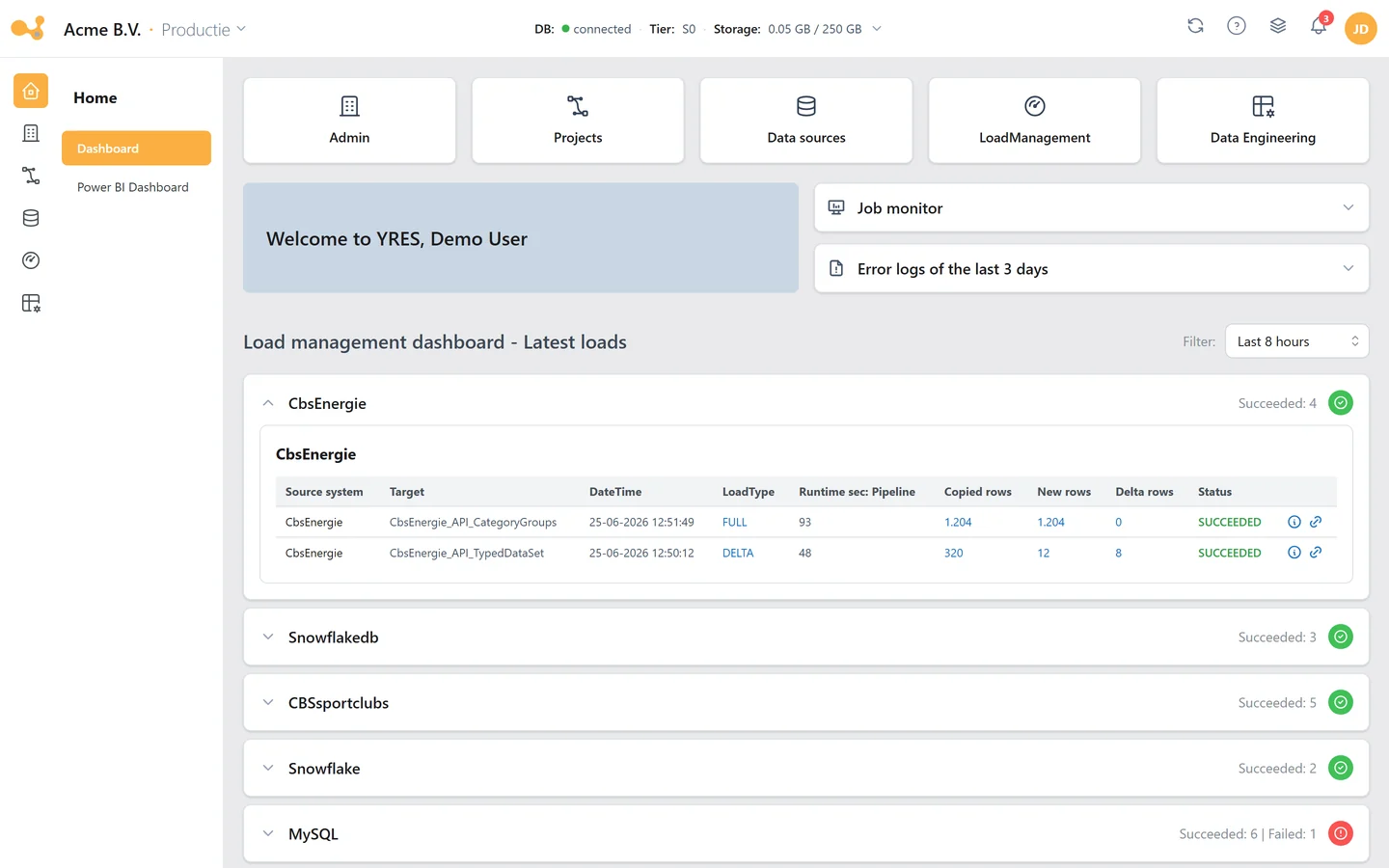
Unreliable dashboards
Reports lag behind or are incorrect, and a lot of time goes into checking and correcting. Yres ensures data is loaded automatically and stays consistent.
Features
Everything you need. Nothing in the way.
Yres automates your Azure data warehouse from source to dashboard. This is what you get, and what it is still worth after three years.
Sources
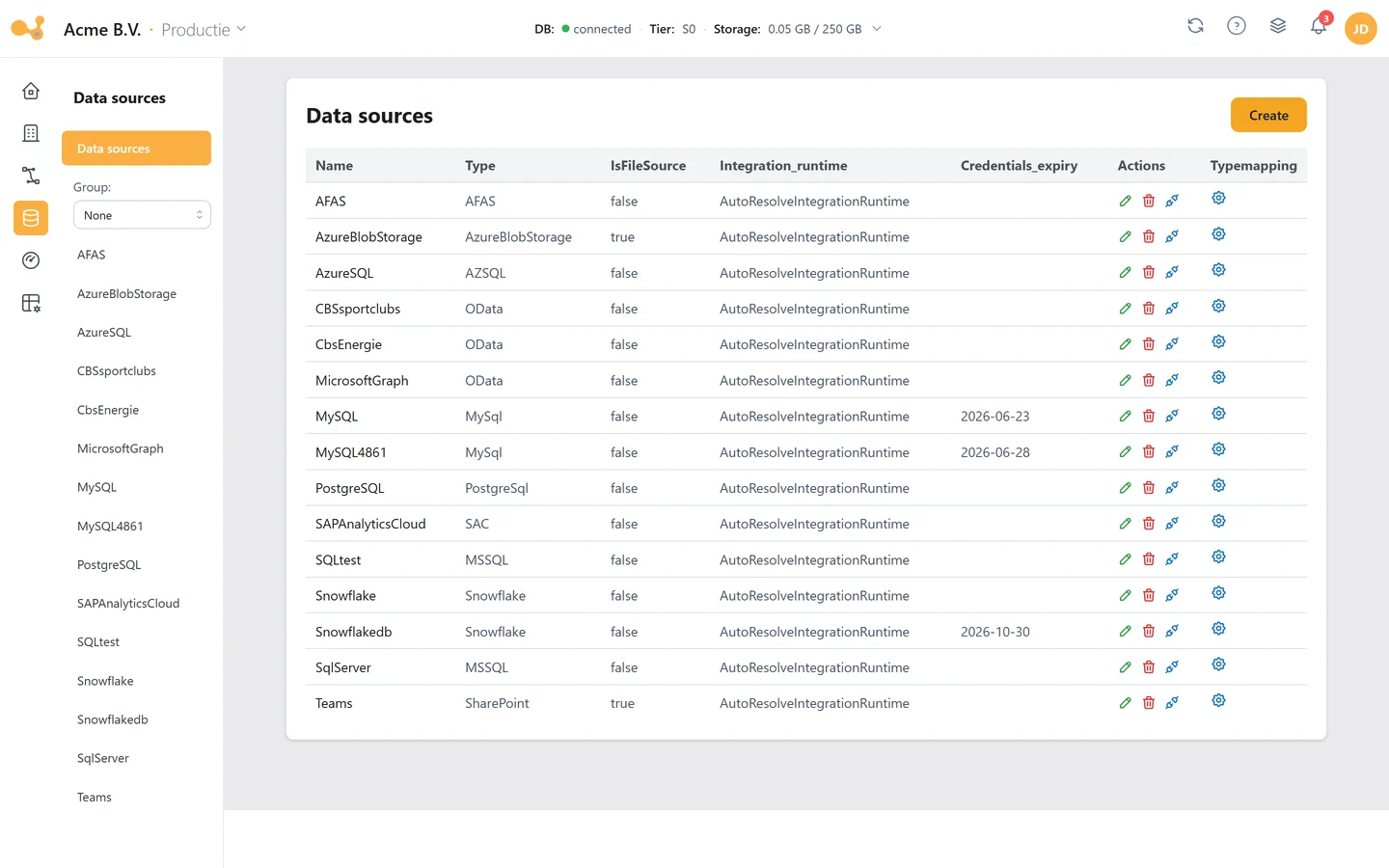
Connect any source: from ERP to open data
Yres is an official partner of AFAS, Exact Online and SAP. AFAS and Exact Online have a dedicated connector; SAP connects through SAP's own standards. And if your system is not on the list, there is REST and OData.
- AFAS and Exact Online with their own connector (official partner)
- SAP through OData, XS OData, Analytics Cloud, Datasphere and Business Data Cloud, without third-party middleware (official SAP partner)
- SQL Server, Azure SQL, PostgreSQL, MySQL, Oracle, IBM DB2 and Snowflake
- Files in CSV, Excel and Parquet from Blob Storage, Data Lake, a file server or SharePoint
- Microsoft 365 through Graph, Teams, SharePoint and Power BI
- Any REST API: pick endpoints from an OpenAPI specification, nested JSON becomes a table by itself
- Dutch open data: CBS and the House of Representatives, with a fixed preset
- Type mapping organisation-wide, per source and per column
Loading and history
Loading you can rely on, with history as a safety net
Seven load types decide exactly what happens to new, changed and disappeared rows. Six of them keep full history, so you can always look back at the state of that day.
- Seven load types; six keep full history (SCD2)
- Disappeared rows: leave them, close them, or close them within the delta window
- Change detection with hashes on key and content; a field can be kept out of the comparison
- Incremental loading on one or two delta columns, with a look-back window for files
- The watermark only advances after a successful load, so a failed delta fetches itself again
- A different load type per run: delta during the week, a full check at the weekend
- Roll back one table to a point in time, with a dry run first
- Paged merging for tables of a hundred million rows and more
Changing and deploying
Change with a safety net, right into the database
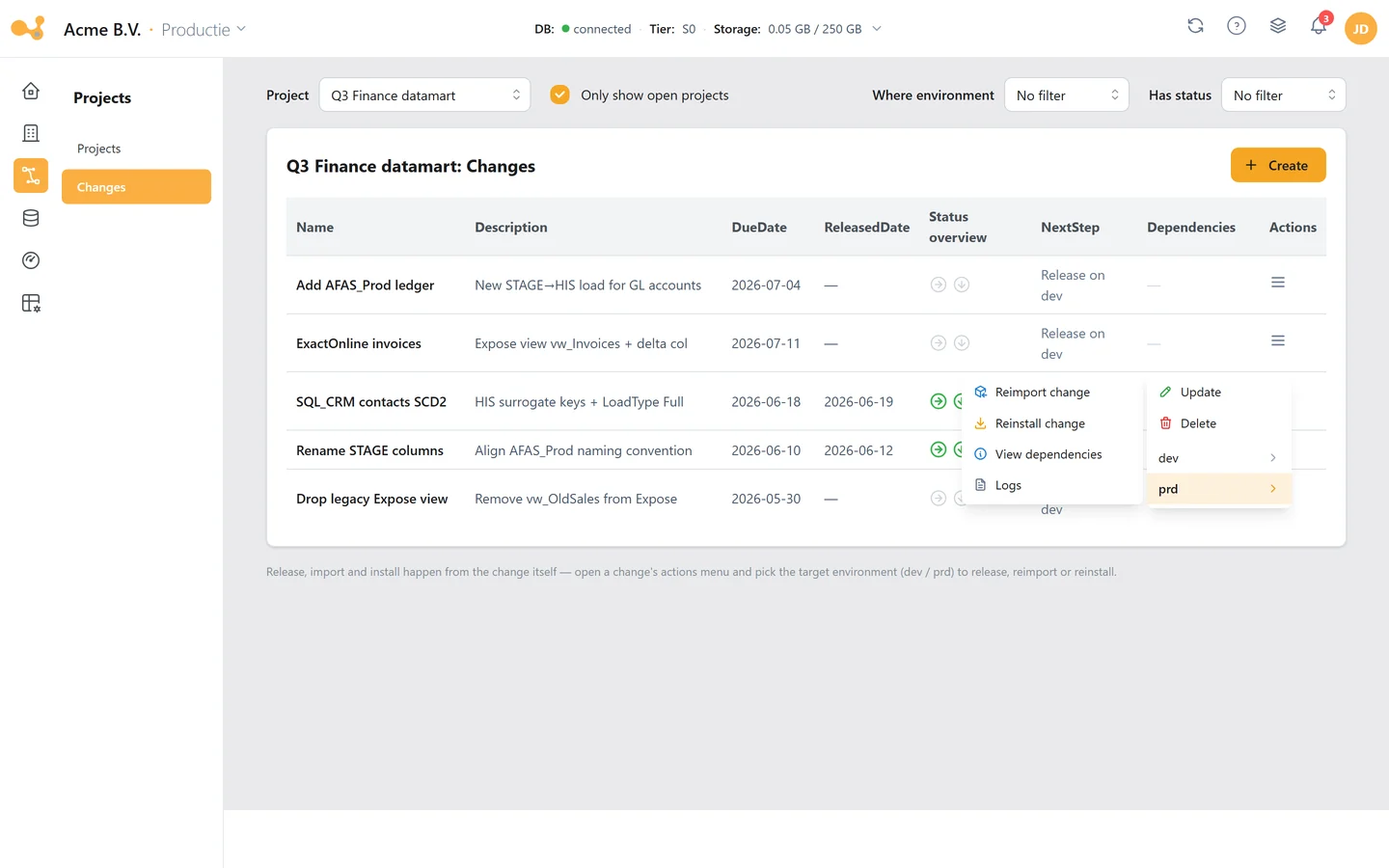
A data warehouse changes every week. Every edit is recorded as a change automatically and moves to test and production in a controlled way. Even what someone does directly in the database shows up.
- Every edit is booked under a change automatically, within a project
- Release, import and install across your environments, including the Data Factory publish
- Releasing blocks on dependencies that have not been released yet
- Impact analysis beforehand, or review the SQL that is about to run
- Rules per environment translate names along the way, from development to test to production
- Every DDL change in the database is recorded: who, when and the full command
- Diff between two versions of an object, and between environments
- Object-level lineage with impact analysis on tables, views, procedures and functions
- Source changes are tracked: missing columns and type differences surface, tables adapt
Scheduling and orchestration
Draw your workflow, Yres builds the pipeline
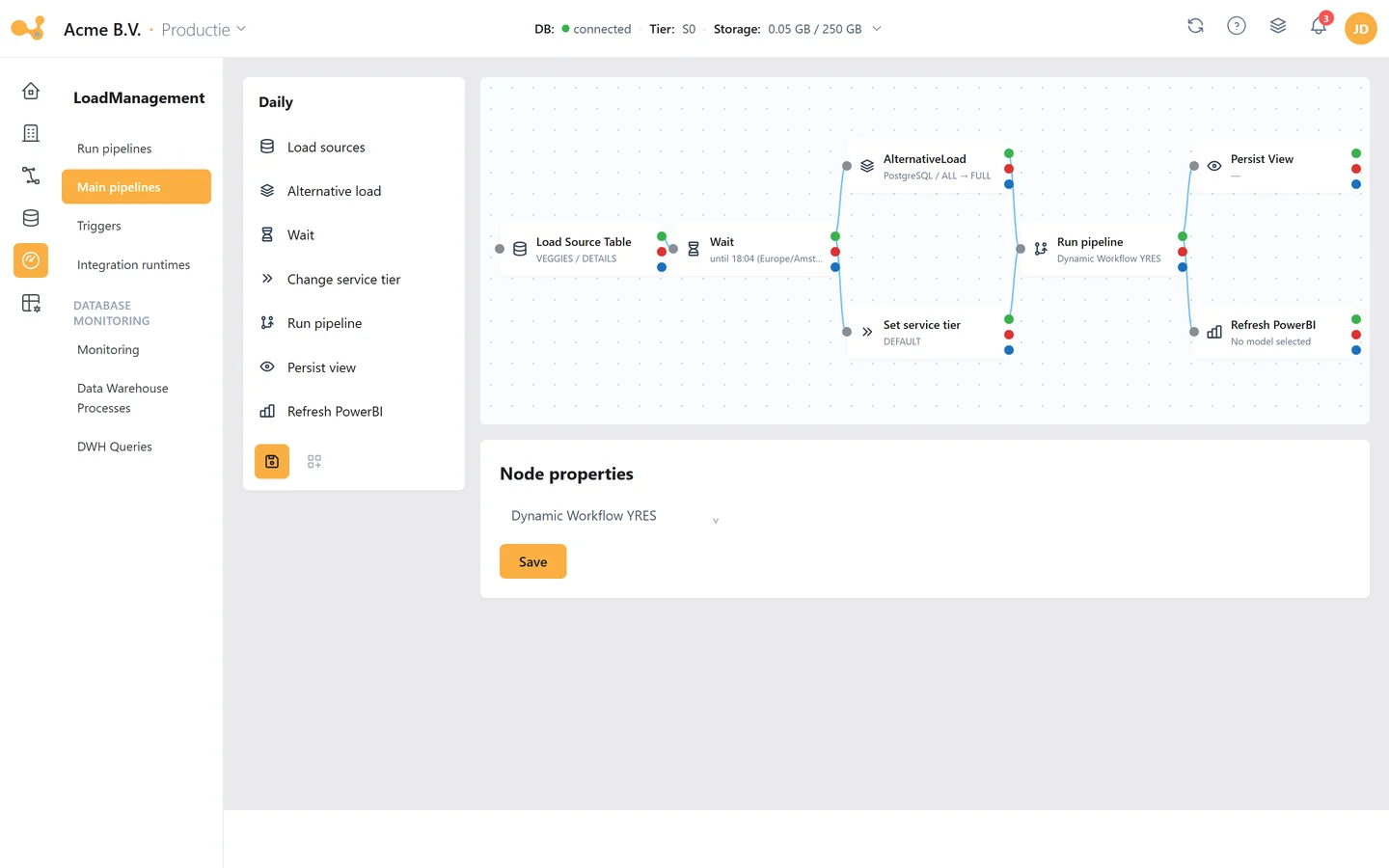
A visual master pipeline with seven building blocks, each with a path on success, on failure and on completion. Yres turns it into an ordinary Azure Data Factory pipeline.
- Seven building blocks: load sources, alternative load, wait, change the service tier, run a pipeline, refresh Power BI and persist a view
- Paths on success, failure and completion, so one error does not halt the whole night
- Your Power BI models refresh right after the data has loaded
- Triggers with multiple days and times, including patterns such as the last Friday of the month
- The database scales up around a load and straight back down again
- Concurrent workflows coordinate: one will not scale down while another is still running
- Persist views as tables, so reports read from a table instead of a heavy view
- A duplicate request for the same table is skipped, not loaded twice
Operations
Less upkeep, more oversight
After go-live the real work starts: monitoring, cleaning up, archiving and checking that everything still adds up. That is in the product, not in scripts of your own.
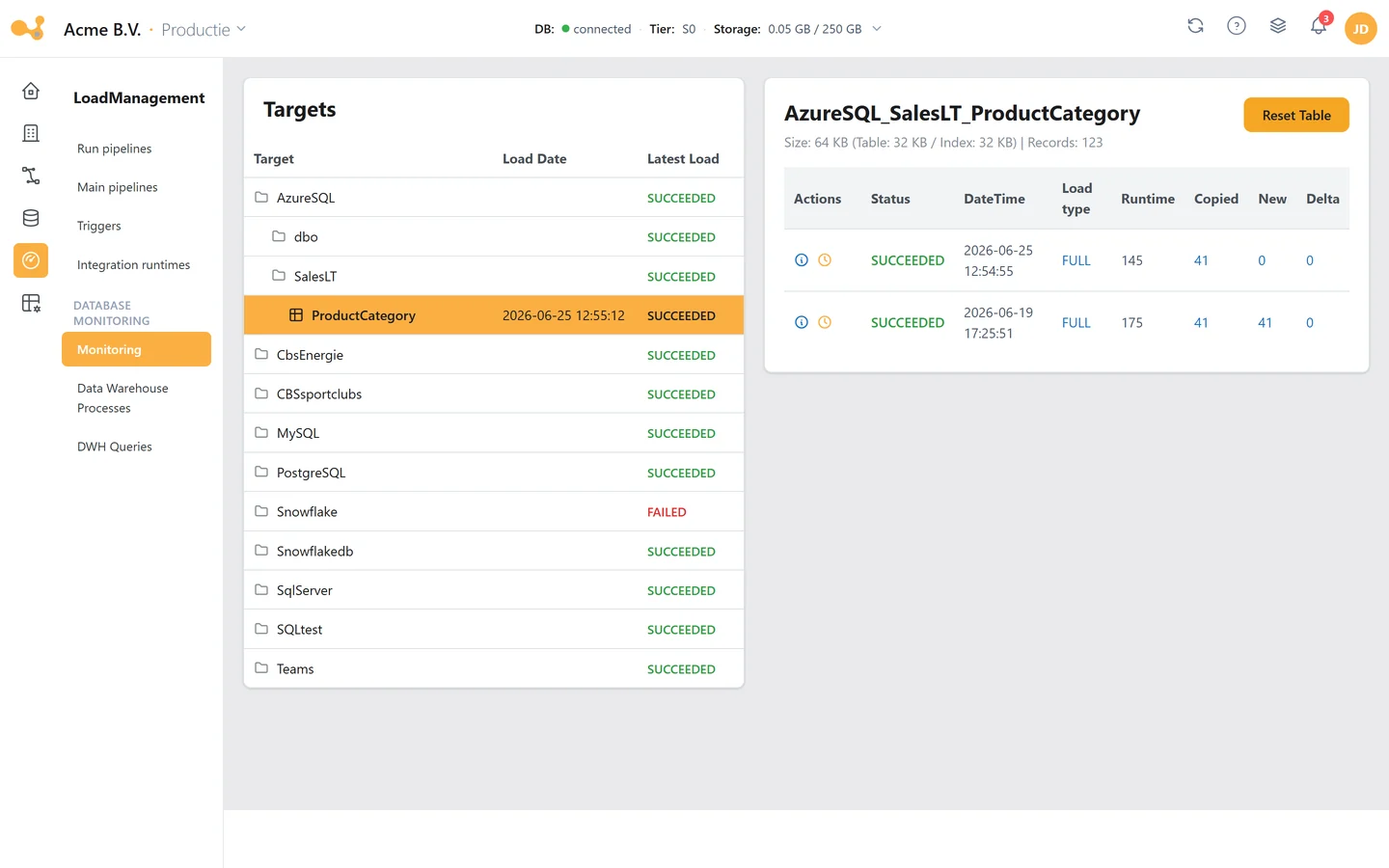
- Monitoring per table: status, load type, runtime and the counts copied, new and changed
- Planned and skipped loads visible, with a link through to the matching run in Azure Data Factory
- Separate screens for locks and long-running queries
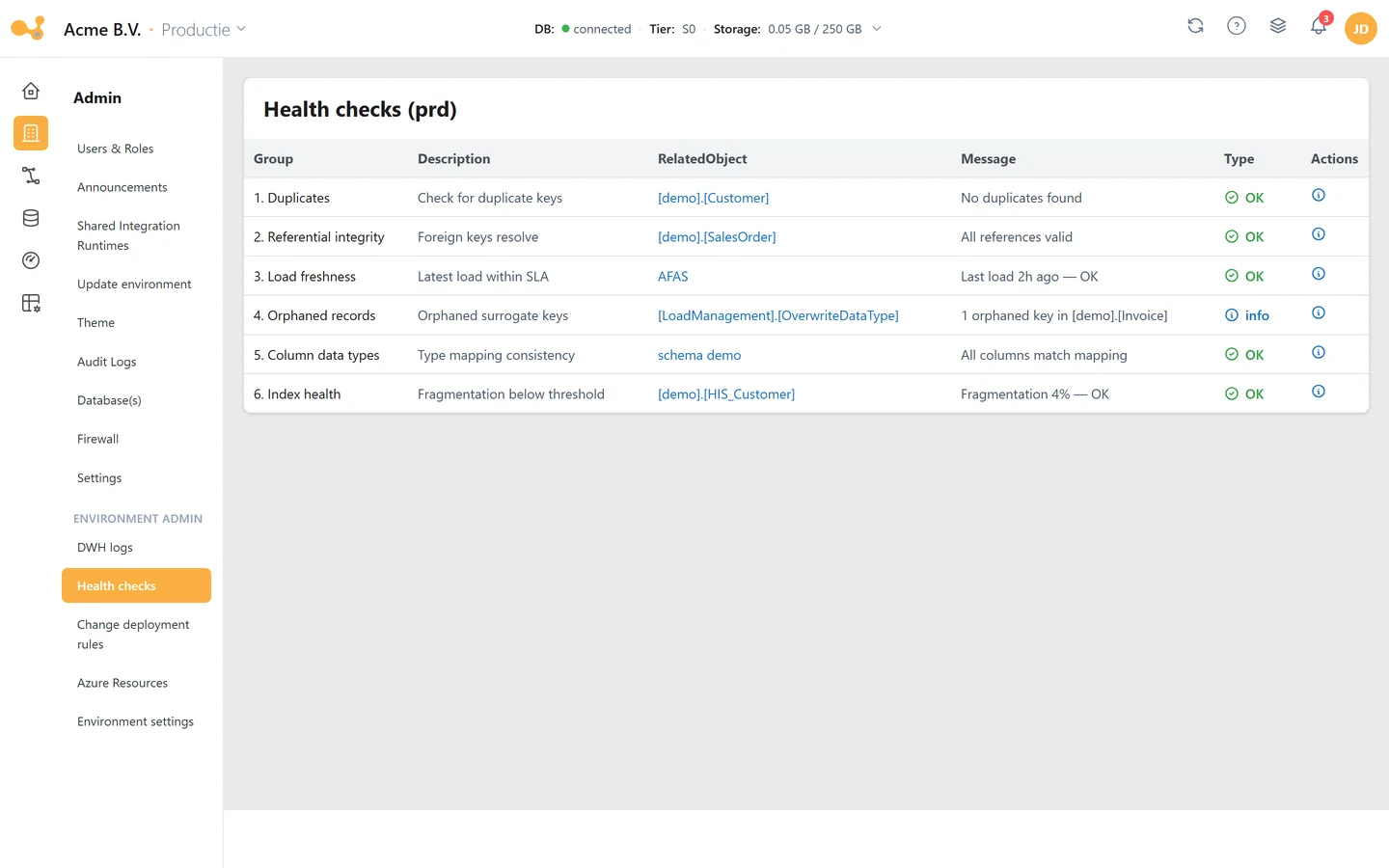
- About eighty checks on your configuration, in nine groups, some with a ready-made fix script
- A test suite of about 1,655 checks across 195 database objects, shipped with every version and safe to run on production
- Four maintenance pipelines: clear stuck runs, log retention, archiving and index maintenance
- Archive per table to Parquet in the Data Lake; deletion only after the number of copied rows matches exactly
- One view combines database and archive, so reports keep seeing the full dataset
- Log retention configurable per log table, with a dry run
Security and ownership
Your data, your Azure, your rules
Data, metadata, credentials and secrets live in your own Azure tenant, in the region you choose. Yres only holds the settings of the web app, never customer data or credentials.
- Everything in your own Azure tenant: Data Factory, database, key vault and optionally the Data Lake
- Secrets exclusively in Key Vault; Data Factory and Data Lake work with managed identity
- ISO 27001 certified
- Web application firewall in every package
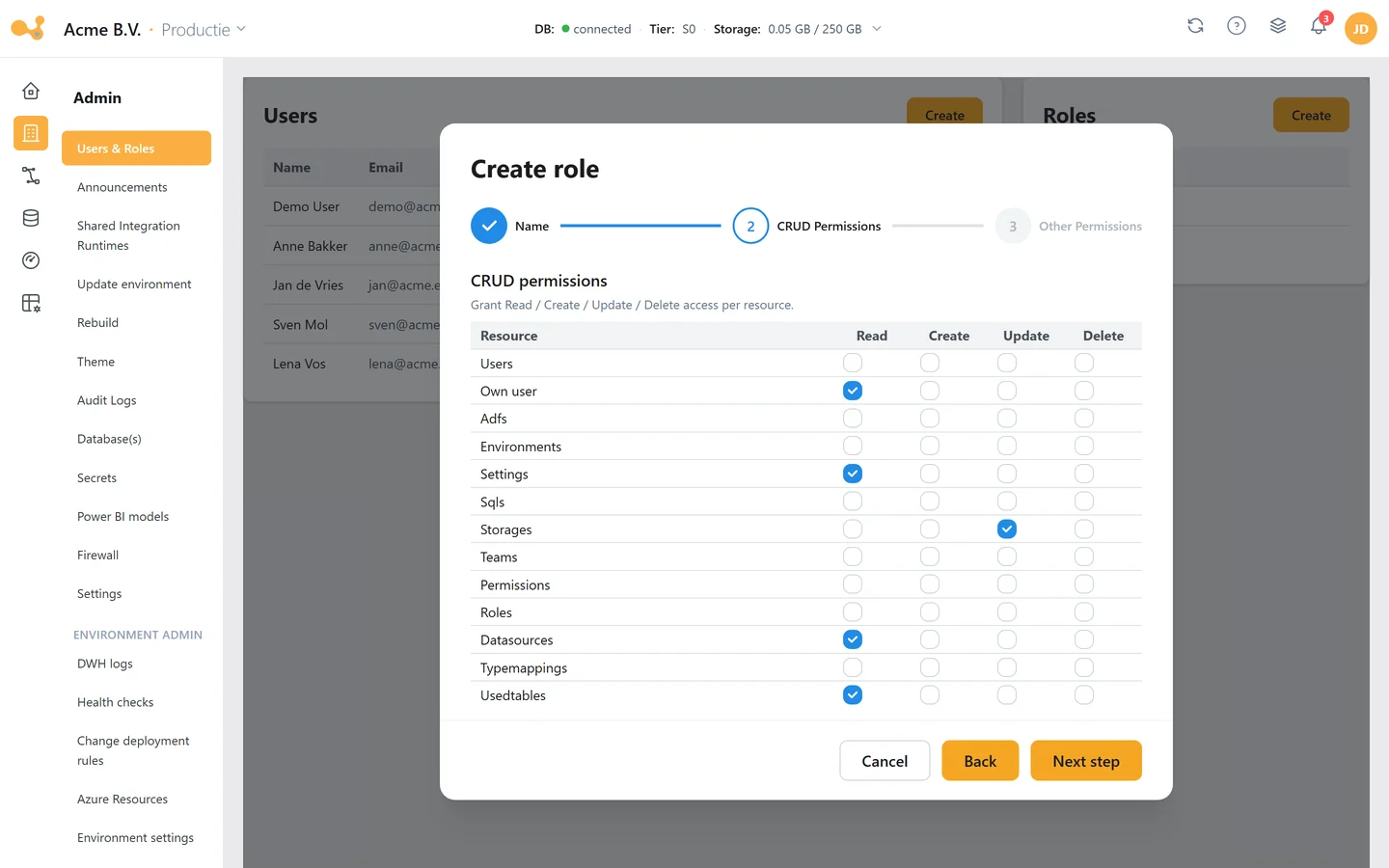
- Sign in with Azure SSO, roles per user and alerts for expiring credentials
- Roles on decoupling views, and a read role that hides the technical tables
- A documented SQL surface: 111 procedures, 66 functions and 51 views described
- Your own objects in your own schema, travelling to production through changes
- If you stop using Yres, your environment keeps running and your own data engineers can keep developing on it
Getting started and keeping up
An environment in twenty minutes
Installation is automated and happens in your own tenant. After that you learn the platform through the knowledge base and the Academy, and roll out new versions whenever your organisation is ready.
- Automated installation in your own tenant, in about twenty minutes, with the right permissions in Azure in place
- Data Factory, Azure SQL database, key vault and optionally a Data Lake are set up for you
- Can also be installed on an existing database
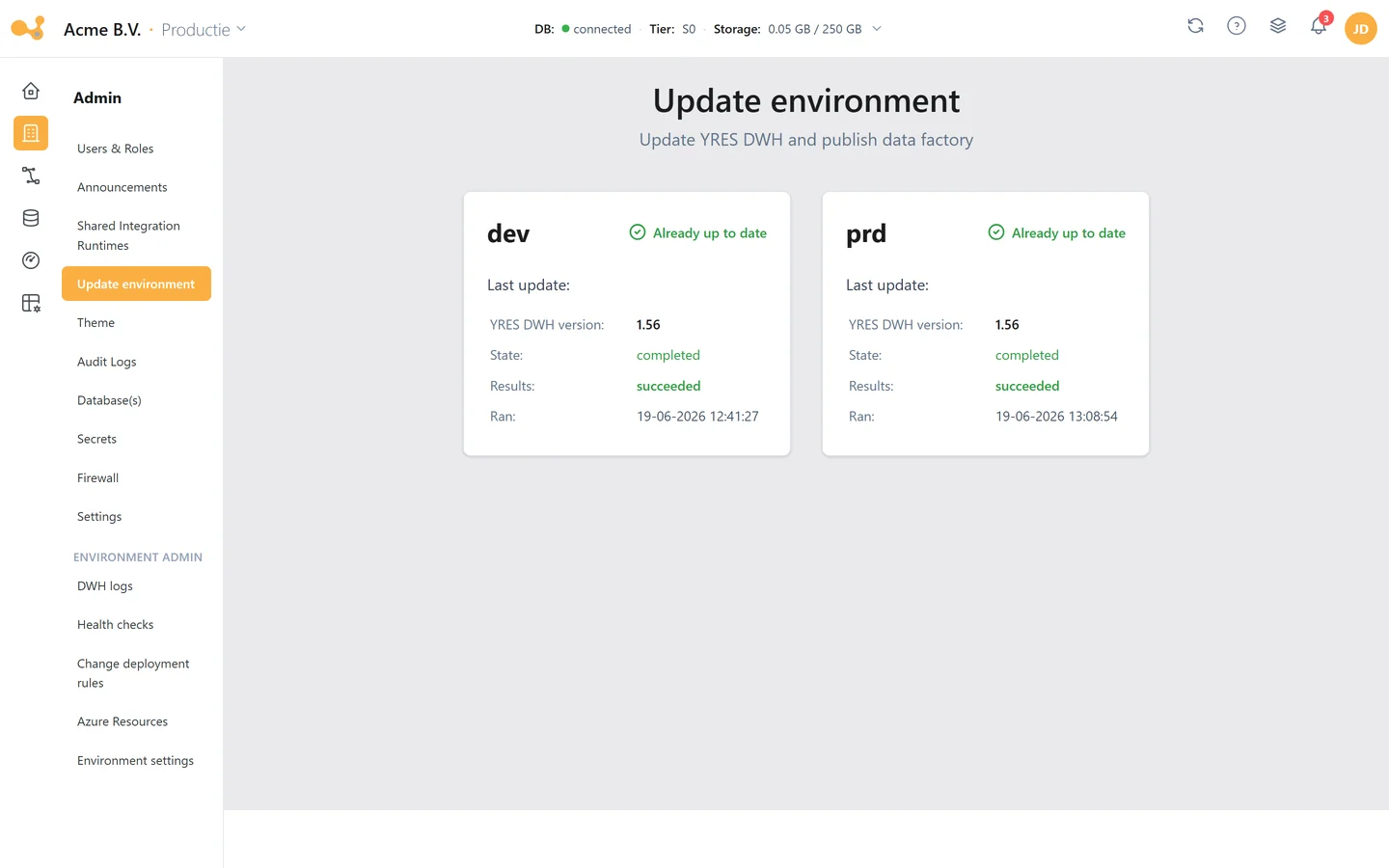
- You roll out new versions per environment, whenever it suits
- Extensive knowledge base in Dutch and English, with an AI assistant that answers your questions
- Yres Academy: courses with knowledge checks, simulations and a certificate that can be verified publicly
- Fixed, public pricing from 350 euro per month; no price per user and no consumption charges from Yres
- Ongoing Azure cost stays low by design: in our own development environments the Azure resources together stay under 20 euro per month at a handful of loads per month, and the database only scales up during a load

Ready to get your data setup under control?
Book a short session and we'll show you how Yres structures and automates your data platform.
Why organizations choose Yres
“It doesn't only speed up our IT process, it also makes data available faster for reporting and invoicing clients.”
“Yres is truly worth its weight in gold. It reduces complexity towards Power BI reporting and makes data a lot more accessible.”
“Plainwater has truly become a partner we can fall back on for knowledge and support.”
Want to see how this holds up next to other tools? Yres compared with TimeXtender and AnalyticsCreator

Data warehouse automation that runs in your own Azure
Built for organisations on Azure and Power BI. Yres connects your sources, keeps the history and promotes changes in a controlled way, without manual work.