Exact Online to Azure: pagination, API limits and history
At 3:30 am Exact Online refuses the next page of sales invoices from the Belgian branch. The daily budget of calls is used up. It is the first time the wholesaler loads its three administrations in full.
You give a database a question and you get all the rows back. Exact Online answers in pages, caps the number of calls per minute and per day and lets access expire after about 10 minutes. Each administration is also its own environment with its own sign-in.
Building all that by hand per table keeps you busy for a long time at 180 tables. Below, Sanne, the wholesaler's data engineer, sets up the connection. After the first full load Yres fetches only what changed, every night.
Published: · Last updated: · By Daniel Sanders, architect of Yres and founder of Plainwater
Why is an API source different from a database?
An API delivers data in portions, under limits and with access that expires. A database delivers a table in one go, as long as the connection is open.
The wholesaler keeps three administrations in Exact Online: the Dutch wholesale business, the Belgian branch and its own transport company. Until now the accounting package came in as a database, so Sanne could request a table in one go. With Exact Online that differs on four points.
Pages. Exact answers every question with a page of rows and a pointer to the next page. A customer table of 5,000 rows therefore takes dozens of requests in a row instead of one.
Limits. Exact caps the number of calls per app and per administration, with a limit per minute and a limit per day. Exact publishes those limits itself. Knock too often and you get a refusal instead of rows. A load that is not prepared for that stops halfway through a table. Nobody then knows which pages are already in.
Access. Exact works with an access token that expires after about 10 minutes, while a nightly load can take a few hours. So you need a second key to fetch a new token. Exact caps that renewal as well. Renew too often and you are refused too.
Administrations. A sign-in to Exact belongs to one administration. Three administrations are therefore three sign-ins, each with its own keys and its own counter for the limits. What is one connection for a database is everything three times over for Exact Online.
What happens on the first full load
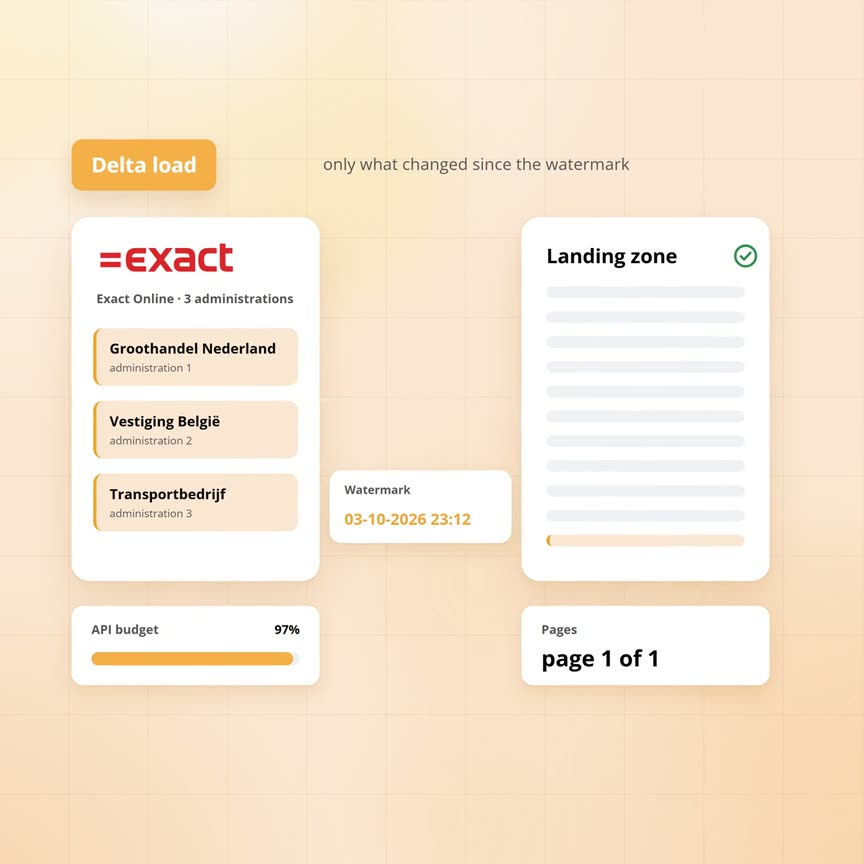
Sanne creates three connections in the admin screen, one per administration. For each connection she enters the keys of the Exact app and signs in to Exact once. Yres then fetches the access token and the refresh key and stores them in the wholesaler's database. The keys of the app itself go to the key vault in the wholesaler's Azure subscription. None of it sits with Yres.
Then Yres reads the structure. Exact divides its API into services, such as financial, sales, purchasing, stock and HR. Yres works through a fixed list of more than 50 of those services. From each service it reads the structure document: which datasets exist, with which fields and which types. Every dataset becomes a table in Yres. The structure of a service only becomes visible once it has been read in full. Services that no longer exist are cleaned up.
Together those services yield several hundred datasets per administration. Sanne switches on the 60 per administration that the wholesaler needs, 180 tables in total. For each table she immediately chooses the load mode that fetches only changes. She points to the column in which Exact keeps the date of the last change. Many Exact datasets have such a column. A dataset with an incrementing change number works too.
On the first night there is no watermark yet, so Yres requests everything per table. Per table it goes like this:
- Empty. Yres empties the landing zone for that table.
- Check access. Yres checks whether the access token is valid for at least three more minutes. If not, it waits until the token has expired and fetches a new one with the refresh key.
- Follow pages. Yres requests the first page. Exact answers with the rows and the link to the next page. Yres follows that link until there is no next one, with a one-second pause between two pages.
- Count. Every row gets the load time added and the number of copied rows goes to the log.
- Merge. The engine takes over: comparing fingerprints, closing versions and adding new ones. How that works is described in our article on keeping history at hundreds of tables.
The workflow does this for five tables at a time. At 3:30 am the daily budget of the Belgian administration runs out. Exact refuses the next page of the sales invoice table. Yres does not retry in the same night. The table is logged as failed, with the step where it went wrong, while the other tables carry on.
At the end of the night the load as a whole is marked failed too, because one table is missing. The monitoring screen shows which one. The tables that did finish are in the history table. The failed table has no watermark yet and starts from scratch the next night.
So Sanne spreads the first load. Per administration she temporarily switches off part of the tables. A switched-off table stays configured and simply does not run. Every night she switches on the next part, so that after a week all 180 tables have been loaded once.
After that: only what changed
After a successful first load every table has a watermark: the highest modification date in the history table. The engine only sets it once the merge has finished. Nobody has to configure anything for it.
From then on Yres asks per table every night only for the rows changed since the watermark. The question to Exact reads 'from and including' that moment. Rows changed at that exact moment therefore come along once more. The engine compares them with the version already there and only creates a new version for a real change. For the customer table of the Dutch administration that is a handful of rows per night instead of 5,000. The move of Bakkerij Ter Horst on 2 October comes in as one row, on one page.
The watermark only moves once the whole table has been processed. If Exact refuses a page halfway, the watermark stays where it was. The monitoring screen reports that it did not move. The next night Yres asks again for everything since that moment, without anything needing repair. The watermark follows the content of the table. A failed attempt leaves it alone. Our article on rollback goes into that further.
The Exact daily budget is now barely touched. A delta night for the three administrations costs a fraction of the first load. The per-minute limit stays in view: Yres waits one second between two pages of the same table, although up to five tables run at once.
| What the API demands | What Yres does | Where you see it |
|---|---|---|
| Answers in pages | Follows the link to the next page until there is none, with a one-second pause | Number of copied rows per table in the log |
| Limit per minute | One page per second per table, up to five tables at a time | Timeline per table in the monitoring screen |
| Limit per day | Delta per table on the modification date, so a night costs a fraction of the first load | A refusal shows as a failed step on that table. The watermark stays put |
| Access that expires after 10 minutes | Check before every table. Wait until the token has expired, then renew with the stored key | A failed renewal shows as a failed step in the log |
| One administration per sign-in | One connection per administration, each with its own keys and its own tables | Three sources in the admin screen, the same tables three times in the data warehouse |
| New fields after an Exact update | Refreshing the metadata reads the structure documents again. The column then comes along, as with any other source | Comparison of structure and tables after every refresh |
| A table that fails halfway | No retry in the same night. The other tables carry on and the watermark stays put | Table marked failed in the monitoring screen, the load as a whole too |
Who signs in at night?
Nobody. Sanne signed in once per administration. Since then Yres stores, per connection, the short-lived access token with the moment until which it is valid, plus the refresh key used to fetch a new token.
The keys of the Exact app itself sit in the subscription's key vault. Before every table Yres goes through these steps:
- Look. Yres checks the stored token. If it is valid for at least three more minutes, Yres uses it.
- Wait. If not, Yres waits until the token has expired. That wait is deliberate, because Exact also caps how often you may renew. So Yres only renews when it really has to.
- Renew. With the refresh key Yres requests a new token. The new token and the new key go back into the database, with a validity of about 10 minutes.
An empty or unusable answer from Exact never overwrites a key that still worked. The metadata refresh does the same check before it starts.
If renewal fails, for instance because someone revoked the connection in Exact, that step is logged as failed. The data of that administration does not come in that night. Someone then has to sign in again through the admin screen. That is the only moment a person is involved.
When do you use it?
You use Yres for Exact Online when you need history, combine several administrations or put Exact next to other sources. At the wholesaler all three apply.
Three administrations in one report. The board wants the revenue of the Netherlands, Belgium and the transport company in one overview. The credit limit of De Jong Transport has to match what applied at the moment of each order. Each administration lands as its own set of tables in the data warehouse, with history. Sanne builds one view on top. A direct connection per administration gives three separate overviews without a past.
Exact next to another source. The HR system delivers 40 tables, including the hours of the transport company's drivers. The costs are in Exact. Both sources load in the same night, into the same database, with the same engine. The report on cost per trip can combine them that way.
Switching package. The Belgian branch moves to another accounting package next year. The history from Exact stays in the data warehouse. The new source sits next to it and the reports keep working.
Where it stops
- A refused page is not retried in the same night. The table is marked failed, the rest carries on
- A window of one extra day of look-back is possible for other sources, but not for the Exact Online modification date
- Each administration gets its own tables. Merging them into one overview is a view on top
- Exact sets the limits. Yres uses them sparingly, but cannot exceed them
Frequently asked questions
How does Yres load Exact Online without manual work per table?
The metadata records per table which columns it has, which key and which load mode. One Exact Online pipeline does the same work for every table. Sanne only chooses the modification column per table and whether it runs.
Can't I just connect Exact directly to Power BI?
Yes, for the current figures of one administration and one report that works well and is quicker to set up. Every refresh of the report does read the API again, with the same pages and the same budget. As soon as you want history or several administrations, let Power BI read from the data warehouse.
What happens when the token expires in the middle of the night?
Nothing you notice. Yres checks the token before every table and renews it itself. If a table fails anyway, the watermark has not moved and Yres fetches that table again the next night from the same point.
How do I keep the first load from hitting the daily limit?
By spreading it over a few nights. Switch off part of the tables temporarily and switch on the next part each night. Start with the tables you need first.
Talk to a data architect
In 30 minutes a data architect looks at your current data environment with you and at where it pinches today.
Book a call →