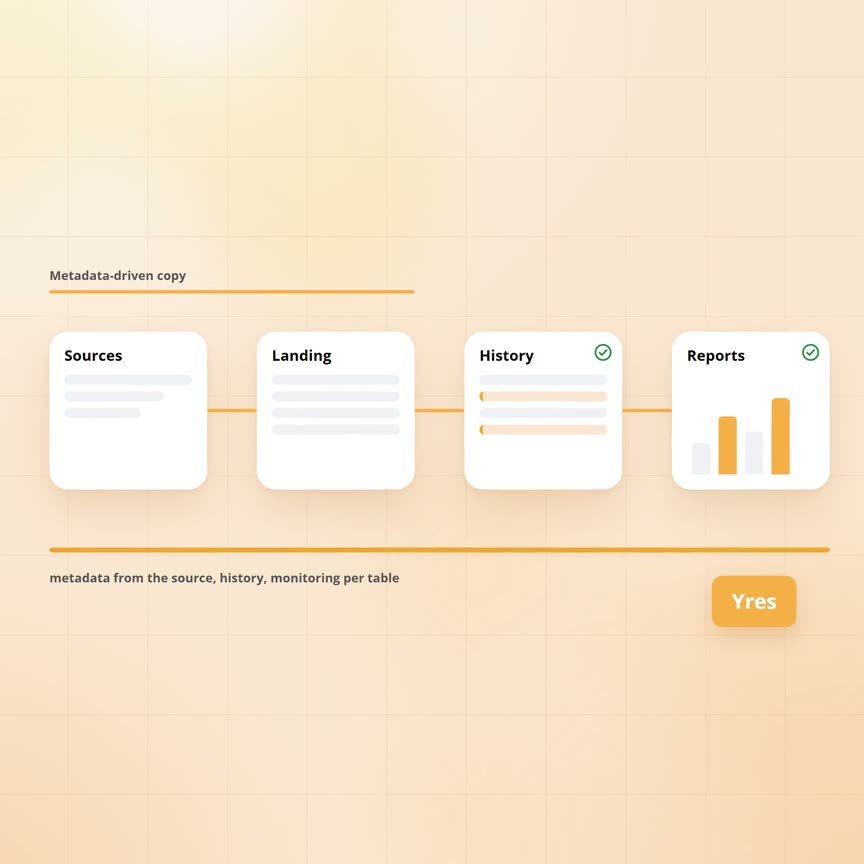
Microsoft's metadata-driven Copy Data pattern: how far it goes
Azure Data Factory has a built-in pattern for copying hundreds of tables without building a pipeline for each one: the metadata-driven Copy Data task. It is a good idea, and it works.
The question is what happens next. Copying is only the first half of a data warehouse, and the easy half at that. We follow a wholesaler through its first week with this pattern.
Published: · Last updated: · By Daniel Sanders, architect of Yres and founder of Plainwater
What does the pattern do?
Sanne is the wholesaler's data engineer. In Azure Data Factory she opens the Copy Data wizard and picks the option for a metadata-driven copy. She points it at the accounting package as the source and the new database as the target. The wizard lets her tick the 280 tables and creates a control table with one row per table. It also generates three pipelines. Together they read the control table, split the work into batches and run a copy per table.
Per table, Sanne chooses a full copy or a copy of changed rows only. The latter works with a change column, whose last value the control table keeps track of. Target tables that do not exist yet are created by the copy step itself.
That is done in an afternoon. The same night 280 tables are in the database, and the night after they are updated. Adding a table is one more row in the control table, with no pipeline, data flow or cluster per table. That solves the problem of hundreds of variants of the same copy step, from the article on keeping history across hundreds of tables.
For the copy step, at least. The rest of this article is about what the pattern does not do. That is no criticism: it is called a copy task, and it copies.
The first week: where it stops
Tuesday. Bakkerij Ter Horst moved from Zwolle to Deventer on Monday. The copied customer table now says Deventer, and Zwolle is gone. The copy is exactly that: last night's state of the source, without yesterday. From now on a revenue report per branch town for the first quarter counts the bakery under Deventer, and nobody can see that it was different last week. Keeping history is a step the pattern does not have.
Wednesday. A supplier has been deleted in the accounting package. That can go wrong in two ways. With a full copy it quietly disappears from the target table, and the purchase orders that refer to it now point at nothing. With a copy of changes only, the opposite happens. A deleted row is no longer delivered, so the copy never sees it and the supplier stays in the target table as if it still exists. Which of the two you get depends on the choice per table. Either way it is wrong.
Thursday. The package update with the payment term on the customer card arrives. The control table holds a fixed column mapping per table, and the target table has Monday's columns. So the new column does not come along, or the copy stops with an error, depending on the setting. Sanne adjusts the row in the control table and then the target table in the database. That is a quarter of an hour for one table, and the update touched 30.
Friday. The web shop turns out to be an API rather than a set of tables. It answers in pages of 100 records, wants an access token that expires every hour and accepts no more than 10 requests per second. The Azure Data Factory copy step can call such an API. But paging through, refreshing the token and respecting the limit are not rows in a control table. That becomes a pipeline of its own next to the pattern, built by hand.
Every morning there is the monitoring screen. At three in the morning one of the 280 copies failed. In the Azure Data Factory overview that is one red line among hundreds of runs of the same generated pipeline. It does not say which table it was, nor since when, nor which dependent tables are now missing half a night. Sanne clicks through the runs until she finds it.
Copying is the easy half
Put the week in a row and you see what a data warehouse still needs after the copy: history per row, an answer to deleted rows and a way to follow new columns without manual work per table. On top of that, keys per table, so a change is recognised as a change, and a translation from source types to database types that does not differ per table. And then there are sources that are an API instead of a table, and monitoring that shows per table what happened instead of per pipeline run.
Every item on that list is a decision per table. Whoever does that 280 times by hand gets 280 variants. The control table solved the problem for the copy step, but for everything after it the problem is still there. That is not the wizard's fault. A copy simply stops there.
How Yres carries the same idea through to the end
Yres uses the same tools. In Yres, too, the copy from source to database runs through Azure Data Factory, in the customer's own environment and with the same copy step as the wizard. The difference is in what happens before and after.
Before. You do not fill a control table by hand. Yres reads the structure of the source itself and records it as metadata: tables, columns, types and keys. From that metadata Yres creates the target tables, with the fixed columns for history added. When the source changes, you refresh the metadata and the target tables are adjusted. Thursday's payment term is then one action for all 30 tables at once.
During. One orchestration reads from the metadata every night what needs loading, and sends each table to the pipeline that belongs to its source type. For a database that is a direct copy. For an API such as the web shop, or a package like AFAS or Exact Online, it is a pipeline that pages through, refreshes the token and respects the limit. Those pipelines exist per source type and not per table, so there is no control table for anyone to maintain.
After. As soon as a table is in the landing zone, the engine takes over. It compares using the fingerprints, closes old versions, adds new ones, handles rows that disappeared according to the load mode and moves the watermark on. Before the night run Yres scales the database up a level and afterwards back down, so the heavy hours go quickly without the bill running all day. The monitoring screen shows per table what happened, with status, duration and row count, and a timeline shows which tables ran in which order. The failed copy at three in the morning is simply one row with a table name there.
| Part | Metadata-driven Copy Data | Yres |
|---|---|---|
| What gets loaded | Control table, filled and maintained by hand | Metadata, read from the source itself and refreshable |
| The copy | Azure Data Factory, full or on a change column | Azure Data Factory, seven load modes per table |
| Target tables | Created as a copy of the source | Generated from the metadata, with the history columns |
| History and deleted rows | None, the copy is last night's state | Versions per row, deletions according to the load mode |
| New column in the source | Adjust row and target table per table | Refresh the metadata, for all affected tables at once |
| API sources with pages and tokens | A pipeline of its own next to the pattern | Pipeline per source type, driven from the same metadata |
| Monitoring | Per pipeline run | Per table, with status, duration, counts and timeline |
When is the pattern enough?
Sometimes the copy is the whole story, and then the wizard is the right choice. Think of a landing zone in a data lake that only needs to hold the raw state of each night, a one-off migration between two databases, an archive in which you capture the source once a month, or an environment with only databases and files as sources. These are all situations in which nobody ever asks what it looked like last week.
As soon as a report has to run on it that is also right about last month, the second half comes in. Whoever starts with the wizard then builds that second half by hand, table by table. Whoever knows the second half is coming is better off starting with something that already has both halves.
Frequently asked questions
Can I use the Copy Data pattern and build history behind it myself?
Yes, and many teams do. The copy lands in a staging table, with a comparison per table behind it that keeps versions. For a handful of tables that works. At hundreds of tables you build and maintain every comparison by hand, and you get the variants from the article on keeping history.
Does Yres itself use Azure Data Factory?
Yes. With Yres the copy from source to database runs through Azure Data Factory, in the customer's environment and with the same copy step. Yres adds the metadata, the pipelines per source type and the engine for history. If you already work with Azure Data Factory, you stay in the same environment.
Does the pattern work with APIs such as AFAS, Exact Online or a web shop?
The copy step can call an API. But paging through, refreshing access tokens and respecting request limits are not in the control table, so each source becomes a pipeline of its own. Yres has a pipeline per source type for such sources, driven from the same metadata as the database sources.
What happens in the pattern when a source adds a column?
The control table holds a fixed column mapping per table, and the target table has the columns from the moment it was set up. So the new column does not come along, or the copy stops with an error. Either way it is manual work per table. With Yres you refresh the source's metadata, and the target tables of all affected tables are adjusted.
Talk to a data architect
In 30 minutes a data architect looks at your current data environment with you and at where it pinches today.
Book a call →Further reading
- Keeping history on Azure Data Factory: why it falls over at hundreds of tables
- Why data warehouse automation on top of Azure Data Factory?
- All connectors
- Schema drift: what happens when a source renames a column
- AFAS to an Azure data warehouse: connection versus automation
- Exact Online to Azure: pagination, API limits and history