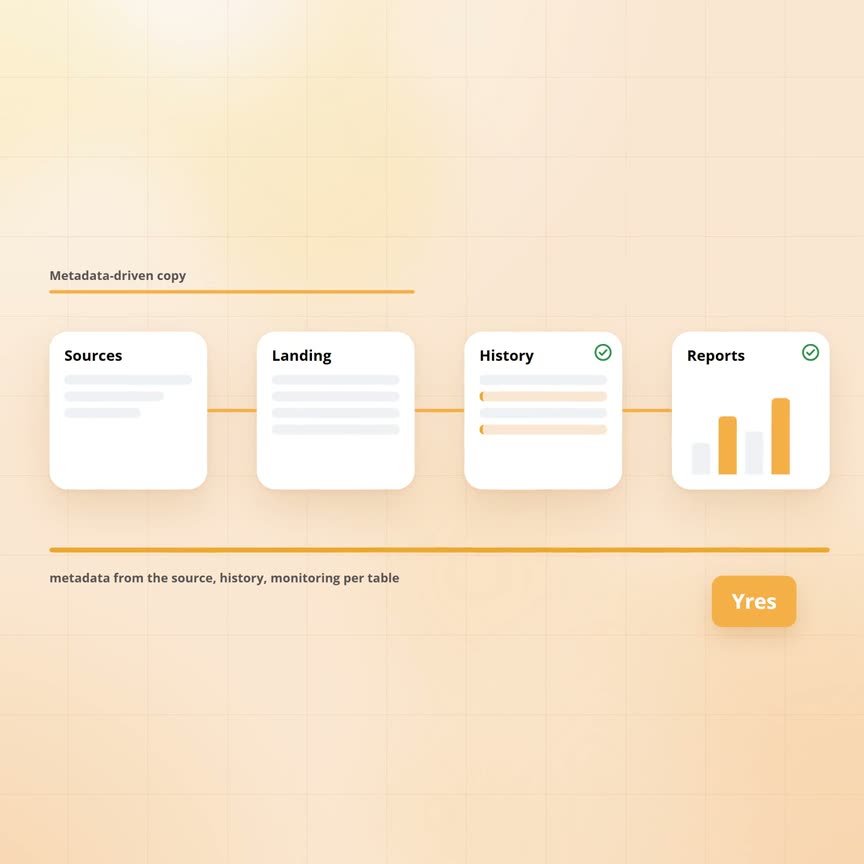
Microsoft's metadata-driven Copy Data pattern: how far it goes
Azure Data Factory has a built-in pattern for copying many tables at once without building a pipeline for each: the metadata-driven Copy Data task. You pick a source, after which the wizard puts every table as a row in a control table and a handful of generated pipelines read that table every night and copy everything in it. That is a good idea that also works. The question is what happens next, because copying is only the first half of a data warehouse, the easy half at that. This article follows a wholesaler through its first week with the pattern.
Published: · Last updated: · By Daniel Sanders, architect of Yres and founder of Plainwater
What does the pattern do?
Sanne is the wholesaler's data engineer. She opens the Copy Data wizard in Azure Data Factory, chooses the metadata-driven option and points at the accounting package as source and the new database as target. The wizard lets her tick the 280 tables, creates a control table with one row per table and generates three pipelines that together read that table, split the work into batches and run a copy per table. Per table Sanne can choose a full copy or a copy of only the rows changed since last time, where the latter works on a change column whose last value is kept in the control table. Target tables that do not exist yet are created by the copy step itself.
That is done in an afternoon. The same night 280 tables are in the database and the night after they are updated. Adding a table is one extra row in the control table, with no pipeline per table, no data flow per table and no cluster starting up per table. For what it does, the pattern is well designed: the problem of 340 variants of the same copy step, described in our article on keeping history at hundreds of tables, it solves for the copy step itself.
For the copy step, the pattern solves that problem. The rest of this article is about what the pattern does not do, although that is no criticism of the pattern itself: it is called a copy task and it copies.
The first week: where it stops
Tuesday. Bakkerij Ter Horst moved from Zwolle to Deventer on Monday, so the copied customer table now says Deventer and Zwolle is gone. The copy is a copy: the table looks like last night's source, without yesterday. The revenue report by region for the first quarter now counts the bakery under Gelderland, without anyone being able to see that this was different last week. Keeping history, the subject of our article on history at hundreds of tables, is a step the pattern does not know.
Wednesday. A supplier has been deleted in the accounting package, which can go wrong in two ways. With a full copy it silently disappears from the target table, so the purchase orders that refer to it point at nothing. With a changes-only copy the opposite happens: a deleted row is no longer delivered, so the copy never sees it and the supplier stays in the target table as if it still existed. Which of the two you get depends on the choice per table, but both are wrong.
Thursday. The package update with the payment term on the customer card arrives. The control table has a fixed column mapping per table and the target table was created with Monday's columns, so the new column does not come along or the copy stops with an error, depending on how the mapping is set. Sanne adjusts the row in the control table and then the target table in the database. That is fifteen minutes of work for one table, while the update touched thirty.
Friday. The web shop turns out to be an API rather than a set of tables: it answers a hundred records per page, wants an access key that expires every hour and accepts no more than ten requests per second. The Azure Data Factory copy step can call such an API, but walking through pages, refreshing the key and respecting the limit are not rows in a control table. That becomes its own pipeline, built by hand, next to the pattern.
Every morning there is the monitoring screen. At three o'clock one of the 280 copies failed, which in the Azure Data Factory overview is one red line among hundreds of runs of the same generated pipeline. Which table it was is not shown, nor since when, nor which dependent tables are now missing half a night. Sanne clicks through the runs until she finds it.
Copying is the easy half
Line up the week and what you get is a list of what a data warehouse still needs after the copy: history per row, an answer for deleted rows, a way to follow a new column in the source without manual work per table and a translation of source types to database types that is not different per table. To that come keys per table, so a change is recognised as a change, plus sources that are an API with pages and keys rather than a table. Finally, monitoring that says per table what happened rather than per pipeline run.
Every item on that list is a decision per table. That brings us back to the pattern from the article on keeping history at hundreds of tables: whoever does it 280 times by hand gets 280 variants. The control table solved the problem for the copy step, but for everything after it the problem is still there. That is not the wizard's fault, because a copy simply ends there.
How Yres carries the same idea through to the end
Yres uses the same tool. In Yres the copy from source to database runs through Azure Data Factory, in the customer's own environment, with the same copy step the wizard uses. The difference lies in what happens before and after.
Before: the control table is not filled by hand, because Yres reads the structure of the source itself and records it as metadata: tables, columns, types and keys. From that metadata Yres creates the target tables, with the fixed columns for history included. When the source changes, you refresh the metadata and the target tables are adjusted, so Thursday's payment term becomes one action for all thirty tables at once.
During: one orchestration reads from the metadata every night what has to be loaded and sends each table to the pipeline that belongs to its source type. For a database that is a straight copy, while for an API like the web shop, or a package like AFAS or Exact Online, it is a pipeline that walks the pages, refreshes the key and respects the limit. Those pipelines exist per source type rather than per table, so they are not in a control table someone has to maintain.
After: as soon as a table is in the landing zone, the engine that is central to the article on keeping history takes over. It compares with the fingerprints, closes and adds versions, handles vanished rows according to that table's load mode and moves the watermark. Before the night Yres scales the database up a tier and afterwards back down, so the heavy hours run fast without the bill running all day. The monitoring screen shows per table what happened, with status, duration and row count, while a timeline shows which tables ran in which order. The failed copy at three in the morning is one row there with a table name, with no search through runs.
| Part | Metadata-driven Copy Data | Yres |
|---|---|---|
| What gets loaded | Control table, filled and maintained by hand | Metadata, read from the source itself and refreshable |
| The copy | Azure Data Factory, full or on a change column | Azure Data Factory, seven load modes per table |
| Target tables | Created as a copy of the source | Generated from the metadata, with the columns for history |
| History and deleted rows | No; the copy is last night's state | Versions per row, deletions according to the load mode |
| New column in the source | Adjust row and target table per table | Refresh metadata, for all affected tables at once |
| API sources with pages and keys | Own pipeline next to the pattern | Pipeline per source type, driven from the same metadata |
| Monitoring | Per pipeline run | Per table, with status, duration, counts and timeline |
When is the pattern enough?
There are situations in which the copy is the whole story and the wizard is therefore the right choice. Think of a landing zone in a data lake that only has to hold the raw state of each night, a one-off migration from one database to another, an archive in which the source is captured once a month, or sources that are exclusively databases and files, without APIs. These are all cases in which nobody will ever ask what it looked like last week.
As soon as a report has to run on it that is also right about last month, the second half joins in. Whoever starts with the wizard then builds that second half by hand per table, which is the story of our article on keeping history at hundreds of tables. Whoever knows the second half is coming is better off starting with something that already has both halves.
- Enough: landing zone or data lake with only the raw nightly state, one-off migration, periodic archive, only databases and files as sources
- Not enough: reports that have to be right about the past, sources that delete rows, sources that change structure, API sources with pages and keys
- Either way the copy itself runs in Azure Data Factory, with Yres too; the difference is in what happens before and after
Frequently asked questions
Can I use the Copy Data pattern and build history behind it myself?
Yes, many teams do. The copy lands in an intermediate table, behind which comes a comparison per table that keeps versions. That works for a handful of tables, but at hundreds it produces the 340 variants from the article on keeping history at hundreds of tables, because every comparison is built and maintained by hand per table.
Does Yres itself use Azure Data Factory?
Yes. With Yres the copy from source to database runs through Azure Data Factory in the customer's environment, with the same copy step. On top of that Yres supplies the metadata that decides what gets loaded, the pipelines per source type and the engine that keeps history after the copy, so anyone already working with Azure Data Factory stays in the same environment.
Does the pattern work with APIs such as AFAS, Exact Online or a web shop?
The Azure Data Factory copy step can call an API, but walking through pages, refreshing access keys and respecting request limits are not in the control table, so that becomes a pipeline of its own per source. Yres has a pipeline per source type for such sources, driven from the same metadata as the database sources.
What happens in the pattern when a source adds a column?
The control table has a fixed column mapping per table and the target table was created with the columns of the moment it was set up. The new column therefore does not come along, or the copy stops with an error, depending on the setting; either way it is manual work per table. With Yres you refresh the source's metadata, after which the target tables of all affected tables are adjusted.
